
Overview
The AI Magic Wand in Sequentum Cloud automatically detects and configures pagination for websites that display data across multiple pages. This feature simplifies pagination handling and reduces manual configuration effort.
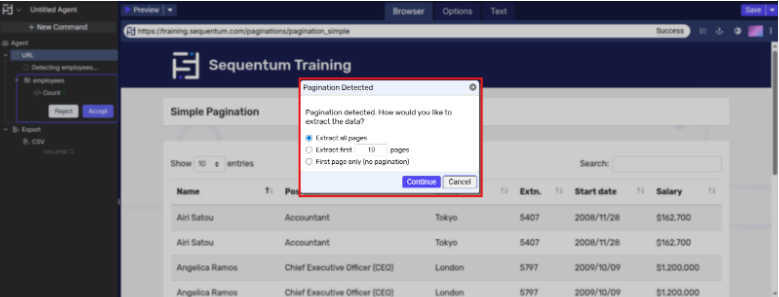
Supported Pagination Options
When pagination is detected, the following options are available:
-
Extract all pages
Enables crawling and extraction across all available pages on the website. -
Extract first N pages
Limits crawling to a user-defined number of pages. -
First page only (No pagination)
Extracts data only from the first page and ignores pagination links.
Note
Selecting the first page only disables the pagination logic for the agent.
Steps to Configure Pagination Using AI Magic Wand
-
Log in to Sequentum Cloud Dashboard with valid credentials
-
Click on the new agent button to create a new agent.

-
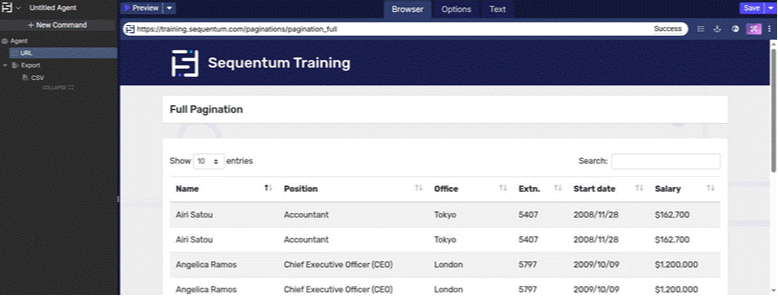
In the agent editor, load a website that contains pagination, for example https://training.sequentum.com/paginations/pagination_full
-
Click the AI Magic Wand icon located in the top-right corner of the editor.

-
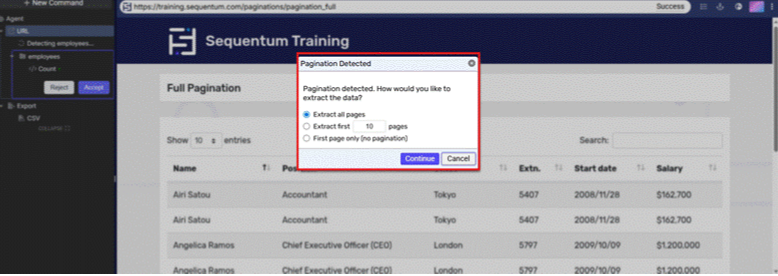
The AI Magic Wand automatically detects pagination and displays a configuration dialog.
-
Select the required pagination option based on your extraction requirements.
-
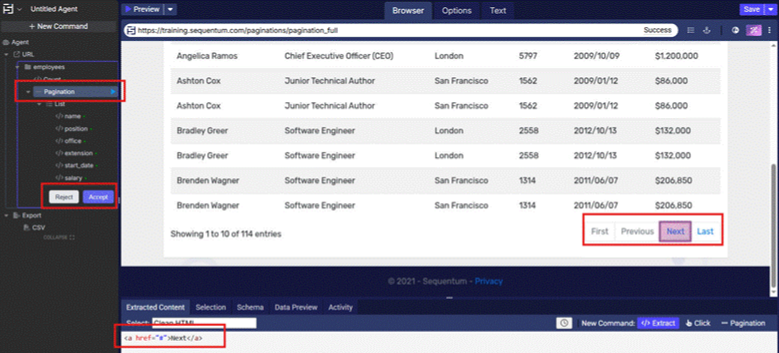
Click Accept to apply the pagination configuration to the agent.
-
Preview the agent to confirm that pagination is functioning correctly.
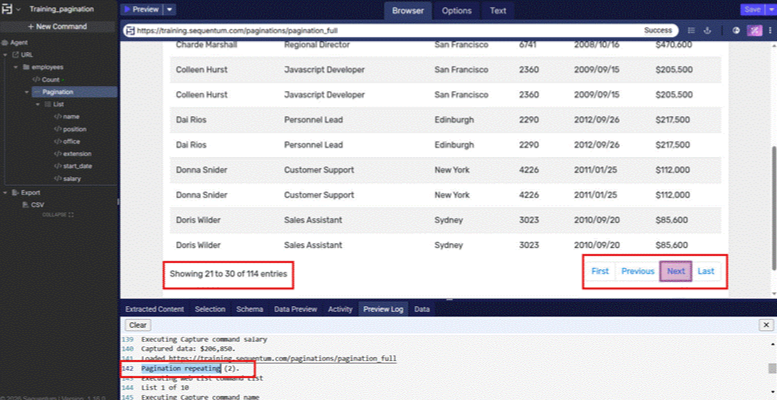
The Magic Wand produces the following outcomes:-
Pagination logic is automatically generated and incorporated into the agent configuration.
-
Data extraction executes in accordance with the user-selected pagination method.
-
The agent can be previewed to verify and validate multi-page data extraction successfully.
Note
Pagination detection depends on the structure of the website. In rare cases, manual pagination configuration may be required.
-